
Write a book, and watch it take shape.
Trame is a word processor designed for books. You write on real pages, in your book’s exact trim size; Trame lays it out like a publisher and gives you the PDF to send to the printer.
From the first word to the printed book
Trame’s five steps, in the order you’ll go through them.
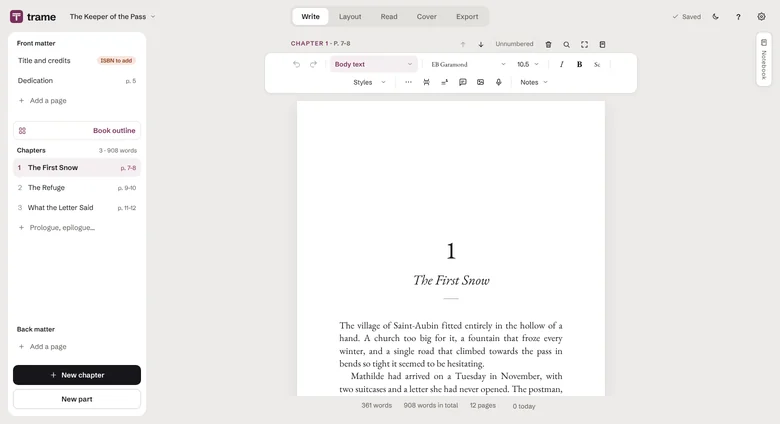
Write on the real pages of your book
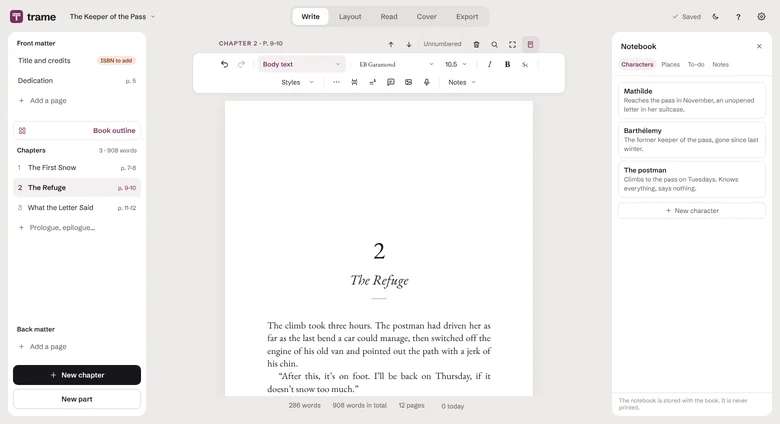
Text flows to the next page on its own, in the printed trim size. You always know how many pages your chapter runs to.
- Automatic typography as you type: curly quotes, dashes, proper spacing.
- Offline spell-checker in English, French and Spanish.
- Book outline as cards, comments, footnotes, images.
- Import your Word, text or Markdown manuscript.
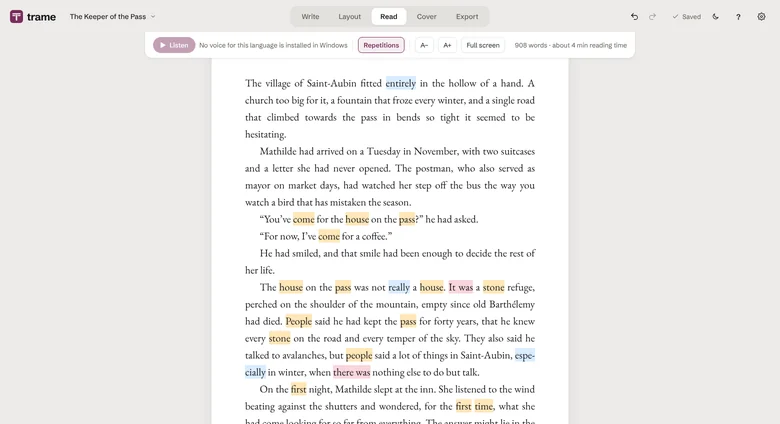
Reread like a reader
Your text appears as in a book, full screen, without the writing tools. One click, and you fix the paragraph.
- Listen to your text read aloud, from any paragraph.
- Spot repetitions, -ly adverbs and weak phrasing.
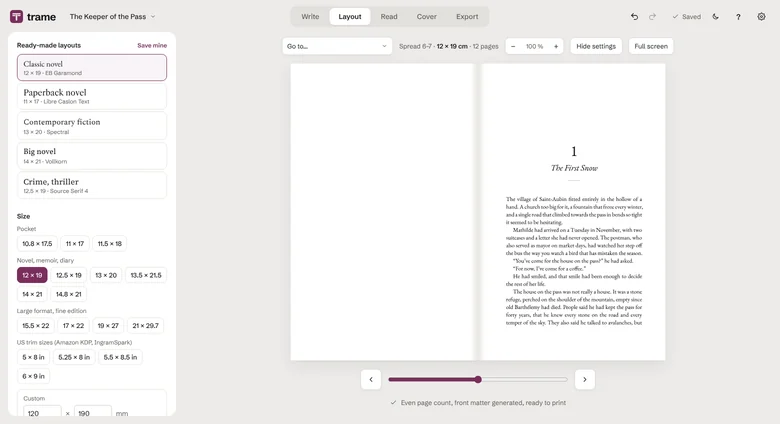
Publisher-grade layout, in one click
Pick a trim size and a ready-made layout; Trame typesets the book as double pages, exactly as it will come off the press.
- 17 trim sizes, from pocket to large format, including Amazon KDP sizes.
- 14 high-quality open fonts: Garamond, Baskerville, Caslon, Literata…
- Drop caps, ornaments, title pages, hyphenation.
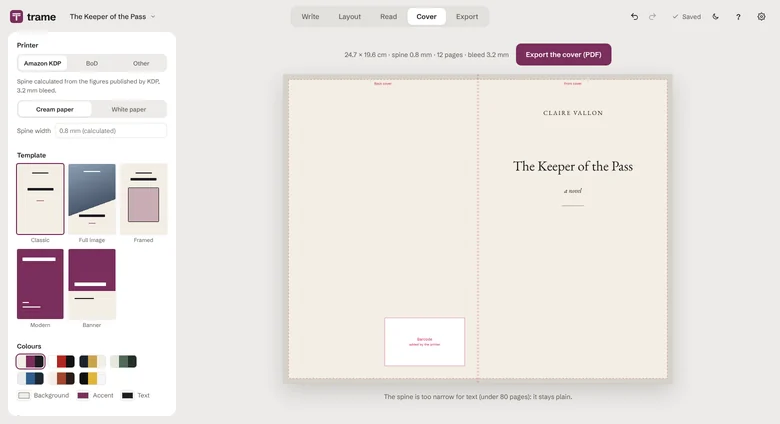
Your cover, ready for the printer
Back cover, spine and front cover on a single sheet. The spine is calculated from the page count and the paper.
- Calculated for Amazon KDP, BoD and other printers, bleed included.
- Templates, colour palettes, your own image, barcode area kept clear.
Three files, ready to go
Before you export, “Is my book ready?” checks what’s missing.
- Print-ready PDF: embedded fonts, bleed, even page count.
- EPUB ebook for Kindle, Kobo and Apple Books, with an e-reader preview.
- Word manuscript in the format publishers and contests ask for.
And everything that helps you finish a book
- The Notebook
- Character and place cards, to-dos, always next to your text.
- Nothing gets lost
- Version history: go back to yesterday, recover a deleted chapter.
- Backup copy
- Automatic, in the folder of your choice: OneDrive, USB stick…
- Writing goals
- Daily word count, statistics, and the rhythm that goes with them.
- Several books
- A library for all your projects, from novels to poetry collections.
- Dark mode
- For writing late without straining your eyes.
See for yourself
Download the sample book exactly as Trame lays it out: the very PDF that would go to the printer, fonts and margins included.
The sample book (PDF, 12 pages)Your books stay on your computer.
No account, no subscription, no data collected. Trame works offline. Read the privacy policy
Frequently asked questions
Is Trame really free?
Does it work on Mac?
Can I publish on Amazon KDP with Trame?
Where are my books saved?
Can I continue a manuscript I’ve already started?
Microsoft Store or direct download?
Why does Windows show a warning when installing?
Install Trame
Download the installer
Open it
If Windows shows “Windows protected your PC”, click More info, then Run anyway. This message appears for apps from small independent developers.
That’s it
Trame then updates itself. It’s available in English, French and Spanish.
Prefer the Microsoft Store? Trame is there too, with no warning at install. The Store gets the major versions; the direct download gets every new feature as soon as it’s out.

Trame is currently available on Windows 10 and 11 only.